
SeerHive
The HRMS that connects hiring, clients and billing.
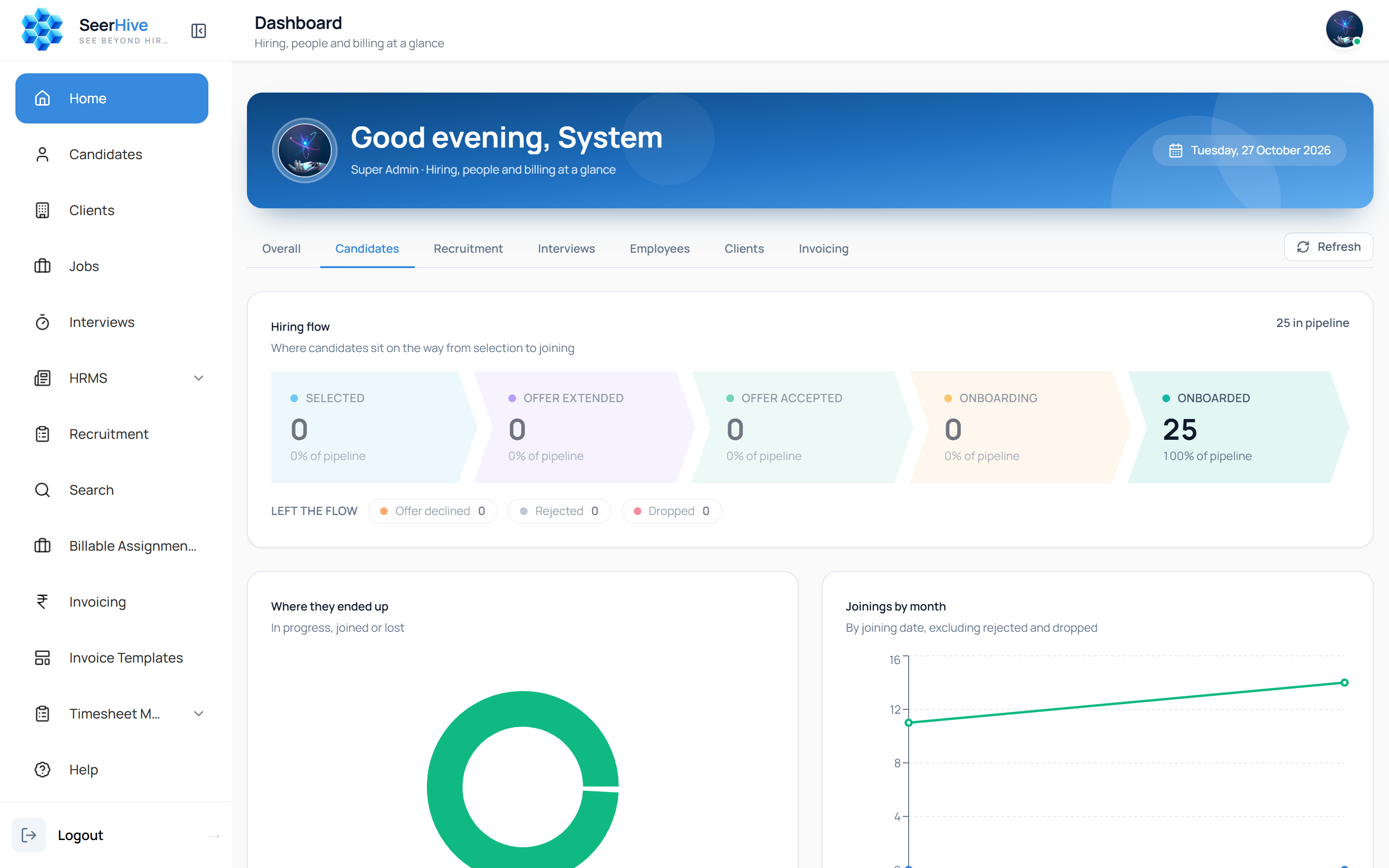
SeerHive is the HRMS behind the platform. It is made for companies that hire for themselves and for staffing partners that place candidates with clients. One system tracks the candidate pipeline, the clients and jobs, interviews, timesheets and invoicing, and dashboards show where every hire stands.
- Pipeline stages
- 5
- Hiring models
- Contract + permanent
- Invoicing
- Built in
What it does.
Candidate pipeline
Follow each candidate from selection to offer, acceptance and onboarding. Declined offers, rejections and drop-offs stay visible.
Clients and jobs
Manage client accounts and open jobs together, whether you hire for your own company or place candidates with clients.
Interviews and recruitment
Schedule and follow interviews, and keep recruitment activity next to the pipeline.
Search
Find candidates quickly among everyone already in your database.
Timesheets
Record and approve the working hours of the people you have placed.
Invoicing
Raise client invoices from the same system, using templates that you control.
Every screen, explained.
These are real screens from SeerHive, shown with sample data. Here is what each one does.
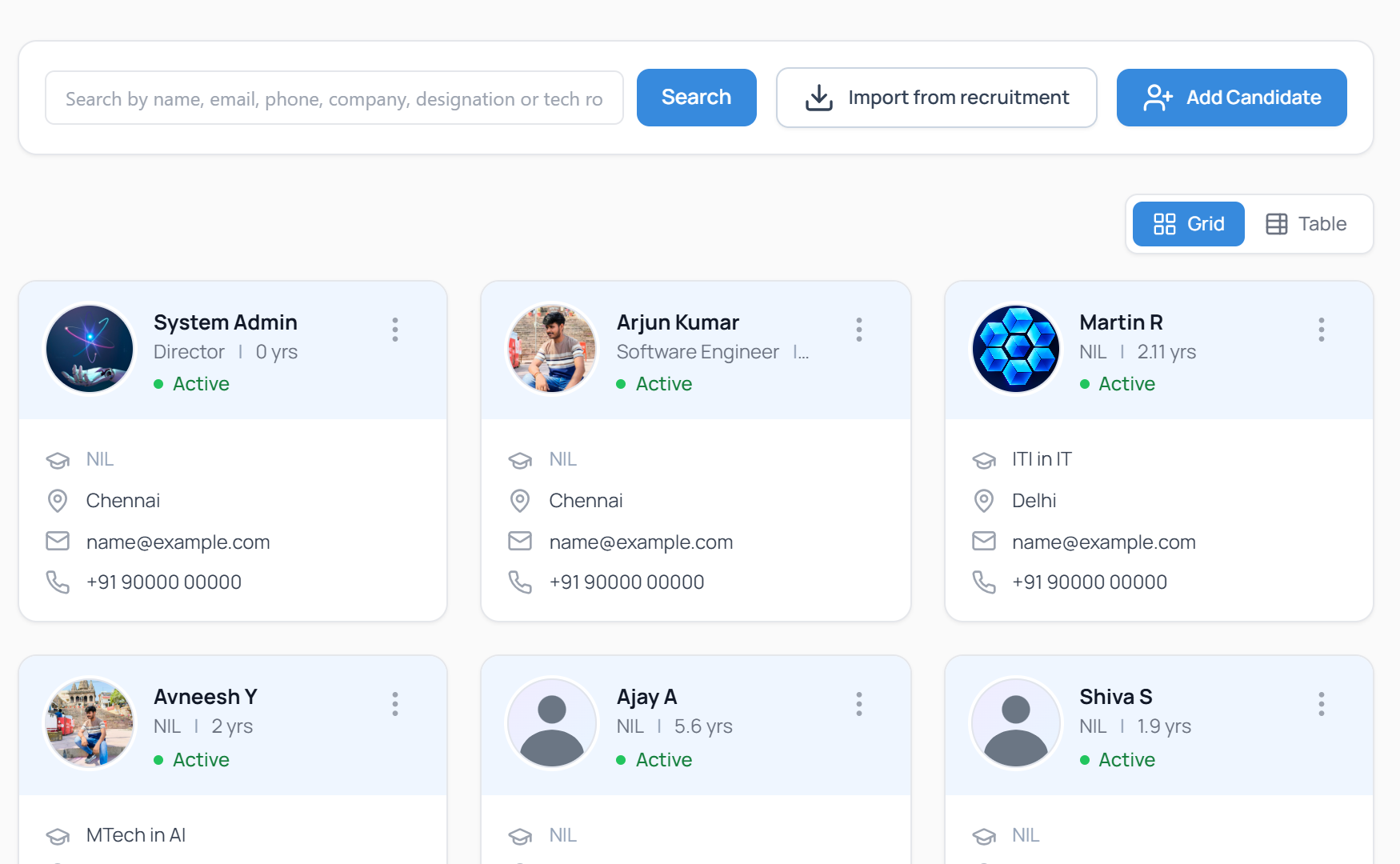
One record for every candidate
Keep every candidate in one searchable list. Find a person by name, email, phone, company, designation or tech role, and switch between a card view and a table.
- Search across all contact and work fields
- Grid and table views
- Import people from recruitment data
- Add a candidate in one form
Swipe the screen sideways to see all of it
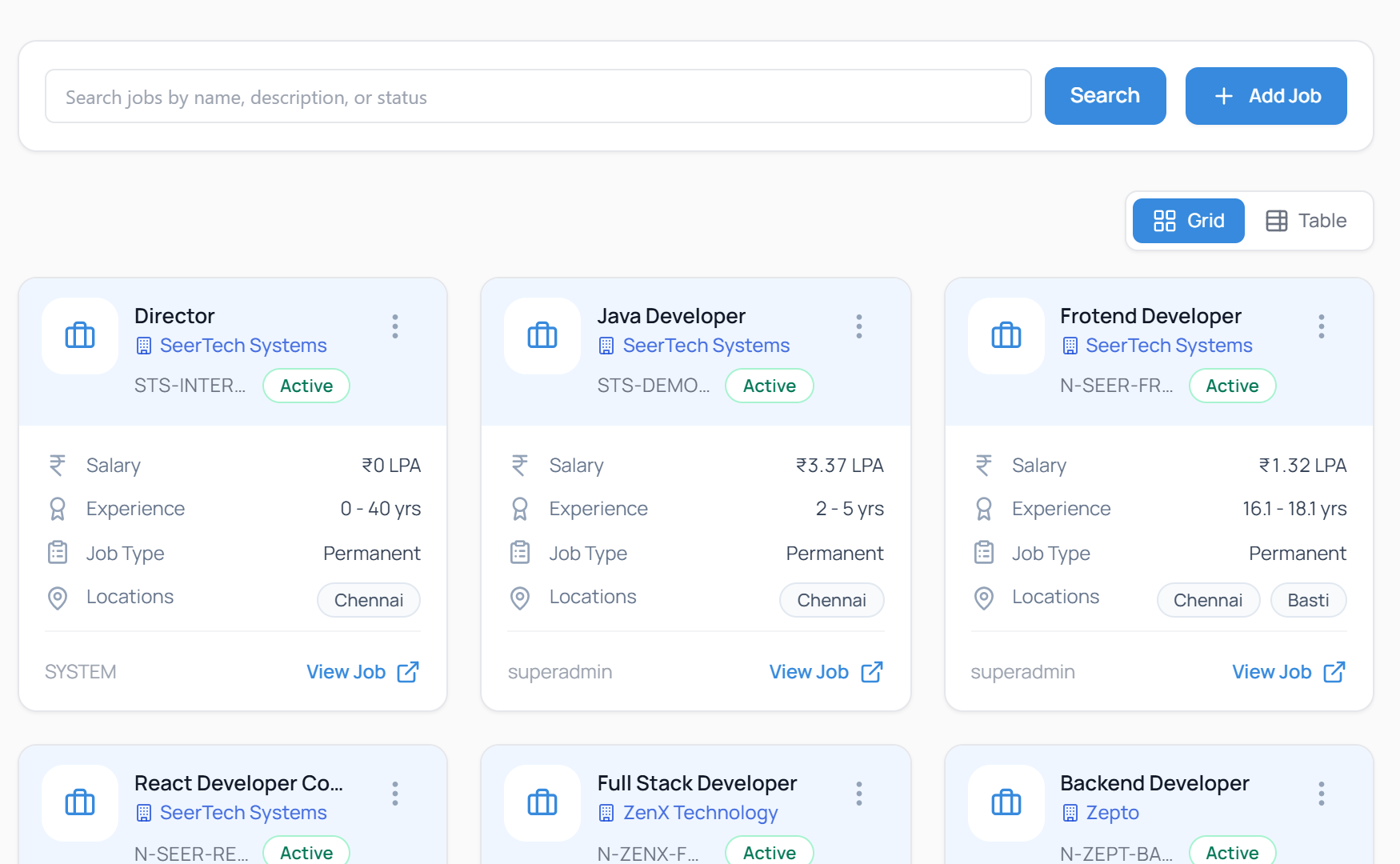
Jobs for your company and your clients
Record each job with its salary, experience range, locations and type. Permanent, contract and client permanent jobs are kept apart, so each follows its own rules.
- Job type shown on every card
- Salary, experience and locations at a glance
- Active status for each job
- Open the full job in one click
Swipe the screen sideways to see all of it
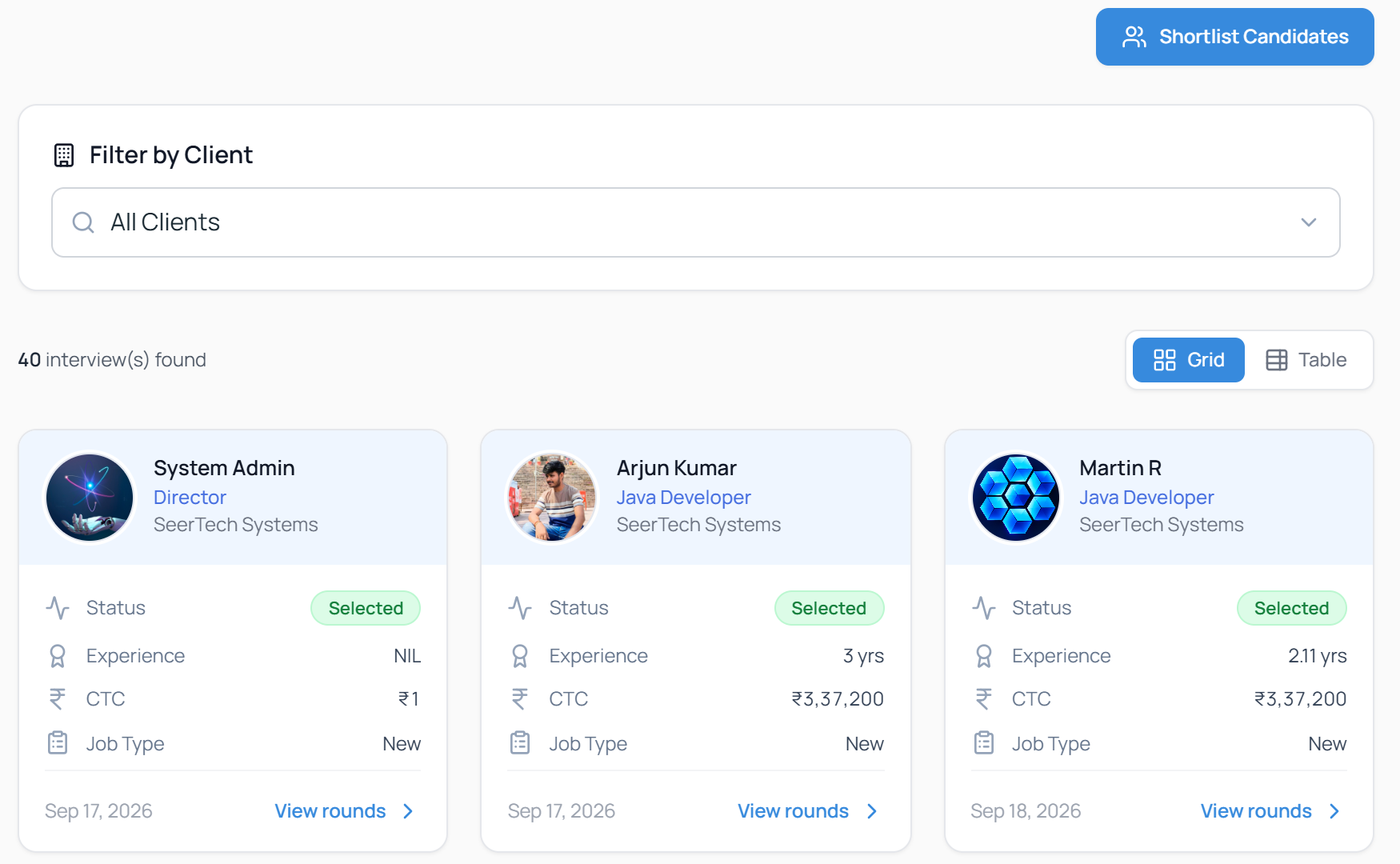
Interviews and rounds, by client
See every interview with its status, the candidate's experience and CTC, and the date. Filter by client, then open the rounds for any candidate.
- Filter all interviews by client
- Status, experience and CTC on each card
- View the rounds for a candidate
- Shortlist candidates for a job
Swipe the screen sideways to see all of it
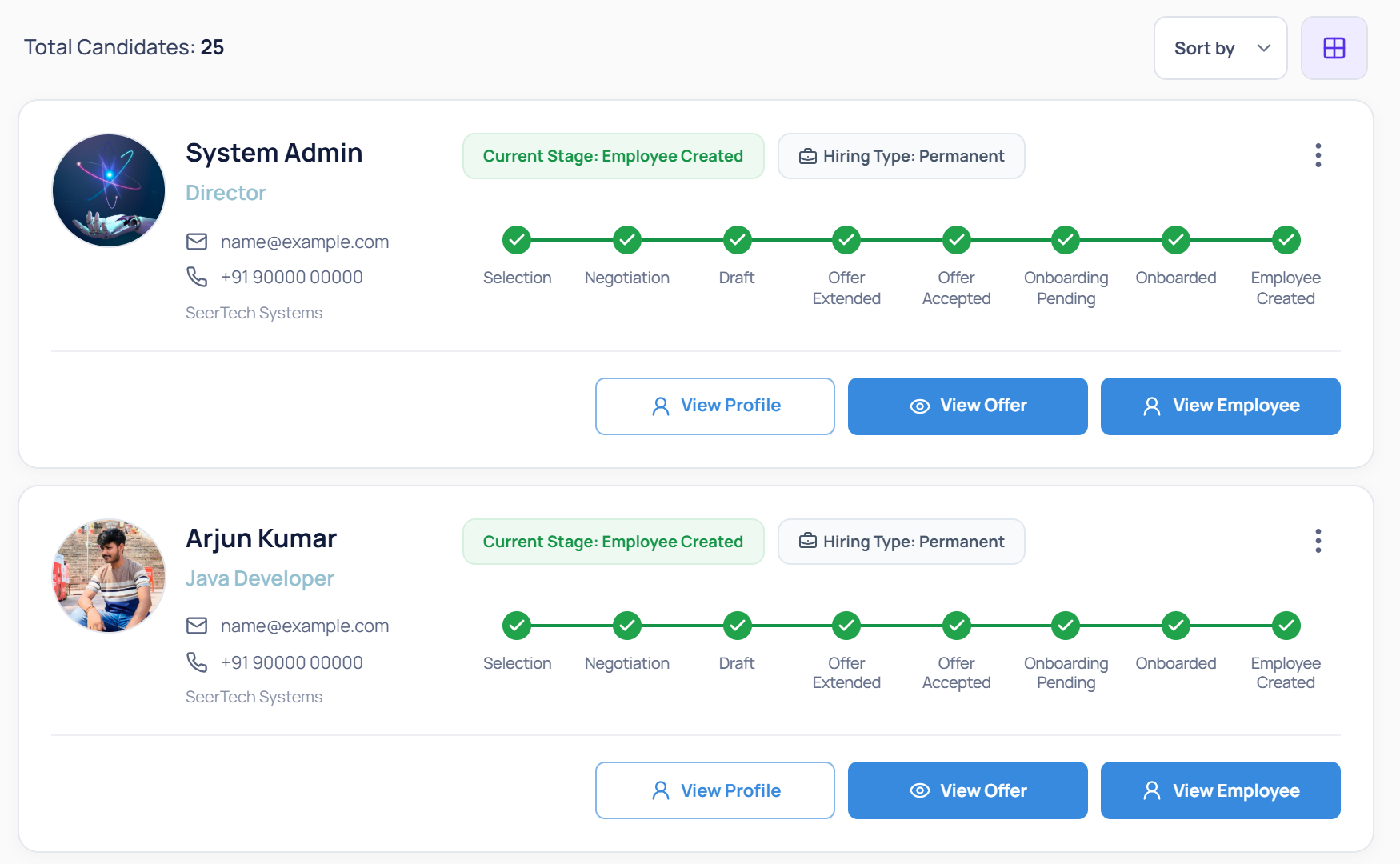
See every hire's stage, from selection to employee
Each candidate has a progress line that runs from selection, negotiation and offer to onboarding and employee creation. You can see the current stage at a glance, then open the profile, the offer or the employee record.
- Stage tracker on every candidate
- Hiring type shown beside the stage
- Filter by name and joining date
- Jump to the profile, offer or employee record
Swipe the screen sideways to see all of it
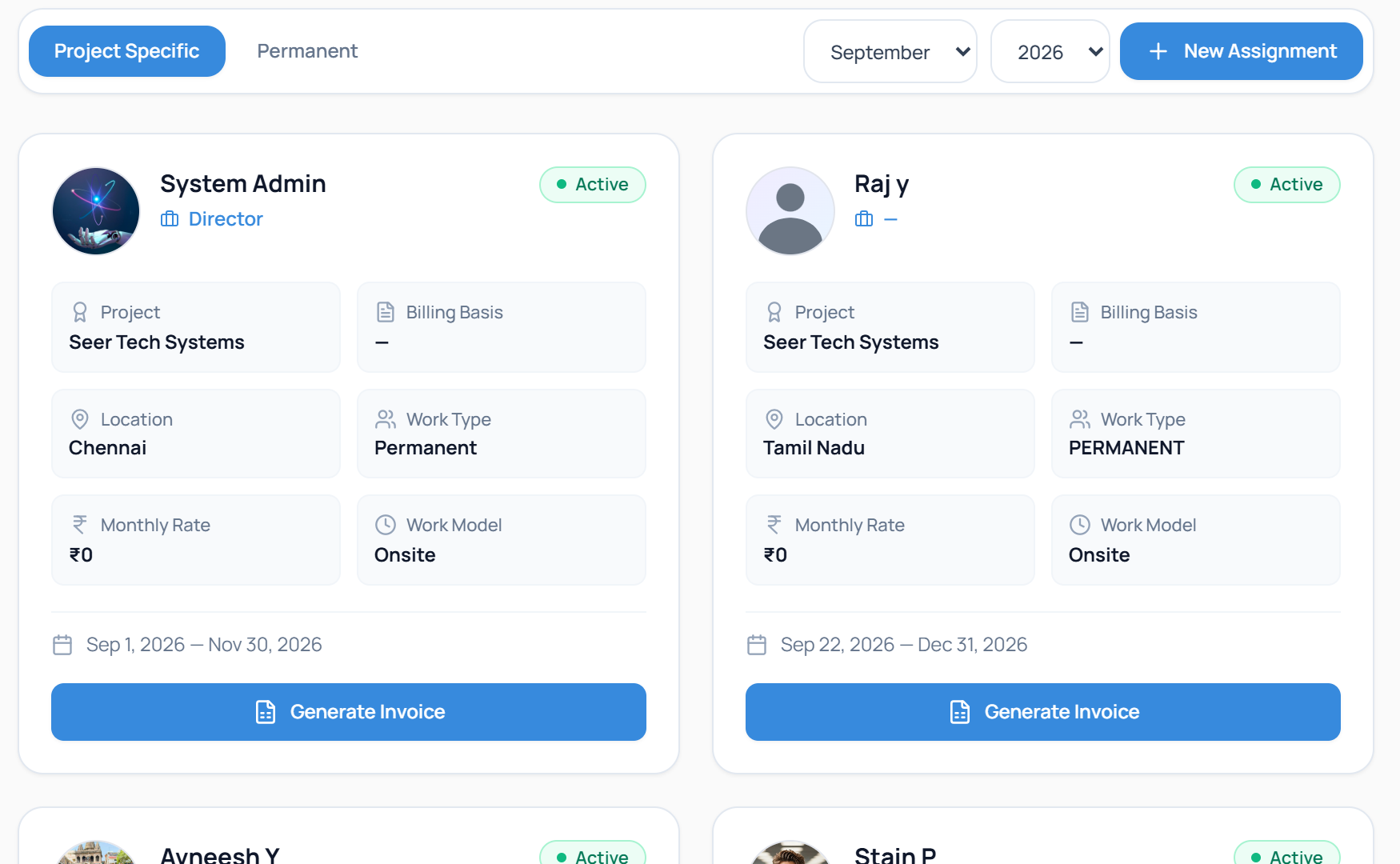
Deployments with their rates
Once a candidate joins a client, the assignment holds the project, work type, work model, monthly rate and dates. An invoice can be generated from the same card.
- Project, location and work type per person
- Monthly rate and billing basis
- Start and end dates
- Generate Invoice from the assignment
Swipe the screen sideways to see all of it
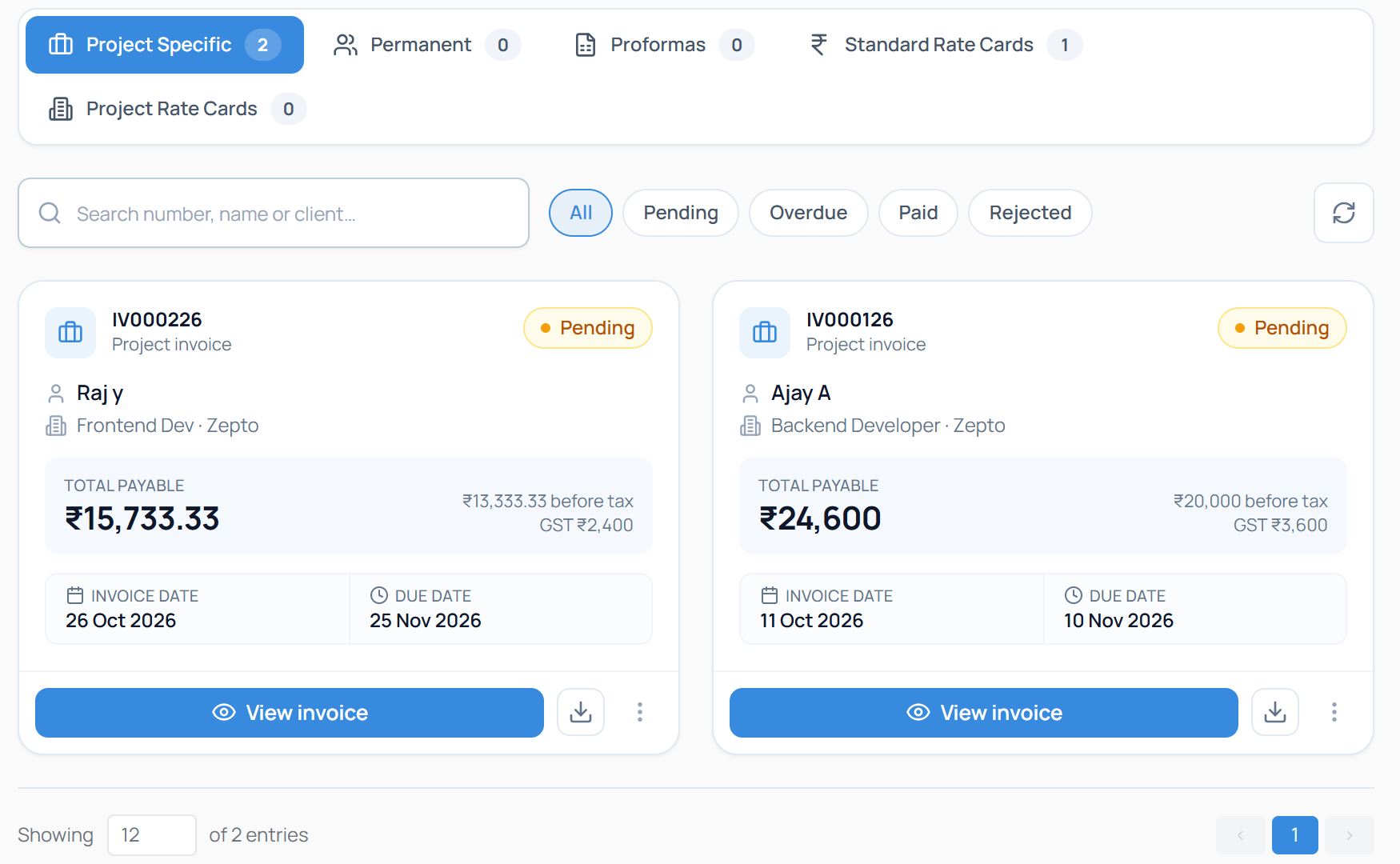
Invoices with the tax already worked out
Project and permanent invoices, proformas and rate cards sit under one screen. Each invoice shows the amount before tax, the GST and the total payable, with its invoice and due dates.
- Pending, overdue, paid and rejected filters
- Amount before tax, GST and total payable
- View or download each invoice
- Standard and project rate cards in the same place
Swipe the screen sideways to see all of it
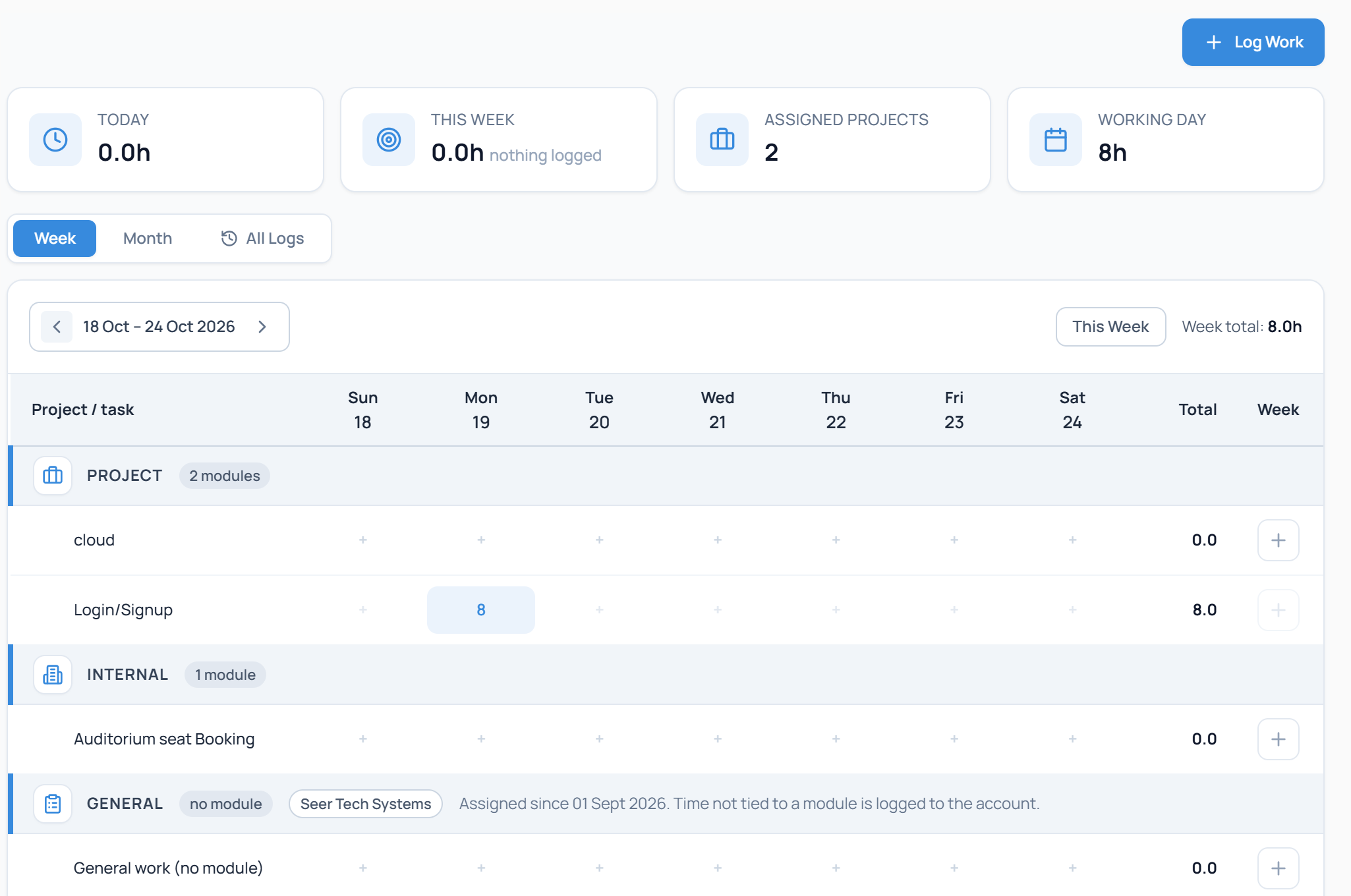
Weekly timesheets that employees fill in themselves
Each employee logs work against their projects, internal modules and general tasks in a weekly grid. Daily and weekly totals add up as they type, and the finished timesheet is sent to the manager for approval.
- Week, month and full log views
- Hours grouped by project, internal and general work
- Daily and weekly totals
- Submit for manager approval
Swipe the screen sideways to see all of it
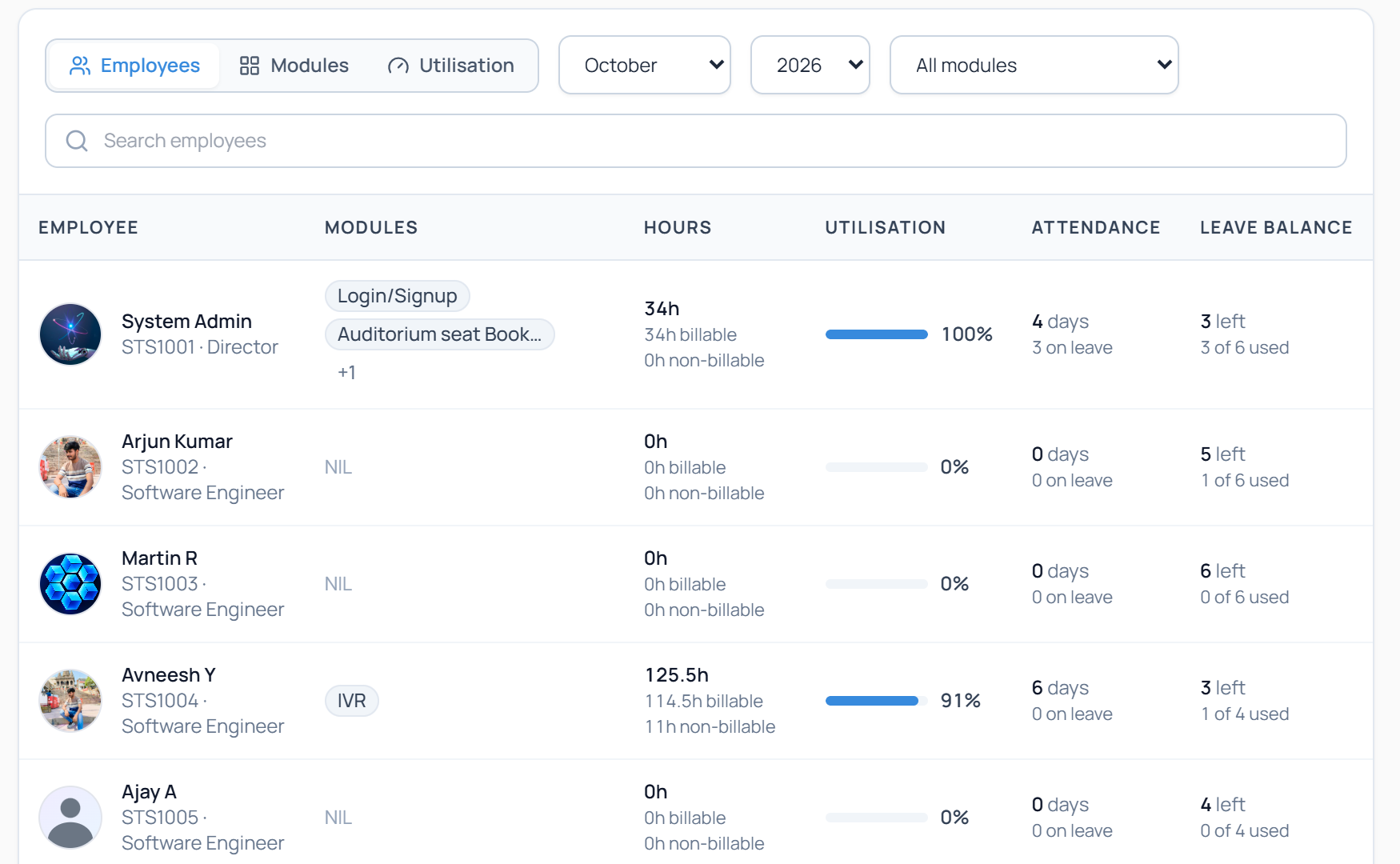
Hours, utilisation and leave for each person
Managers and HR see, for any month, the modules each employee works on, billable and non-billable hours, utilisation, attendance and leave balance.
- Choose the month, year and module
- Billable and non-billable hours
- Utilisation shown as a bar
- Attendance and leave balance on the same row
Swipe the screen sideways to see all of it
Up and running in 4 steps
- 1
Set up clients and jobs
For client accounts or for your own company.
- 2
Add and track candidates
Move them through the pipeline one stage at a time.
- 3
Interview and offer
Schedule interviews and follow each offer until it is accepted.
- 4
Onboard, record time and invoice
Move the hire into timesheets and client billing.
Made for everyone who works on a hire
Everyone who touches a hire, from the first call to the last invoice.
Staffing and recruitment agencies
Hire for several clients, track contract and permanent placements, and invoice each client.
Company HR teams
Hire for your own company, issue offers, onboard people and run payroll.
Finance teams
Raise invoices with GST worked out and follow payments.
Managers
Approve timesheets and see hours, utilisation and leave for your team.
Employees
Log time, apply for leave, and check your own attendance and payslips.
Recruiters
Keep candidates, interviews and offers in one pipeline.