
Resume Analyser
Rank resumes against a job description, using the criteria you set.
Screening a stack of resumes by hand is slow, and the results are often inconsistent. The Resume Analyser lets you decide what matters for the role: technology and skills, domain experience, education and years of experience. It then scores every resume against the job description using those weights and explains how each score was calculated.
- Scoring areas
- 4
- Weight presets
- 4
- Weights total
- 100%
What it does.
Technology and skills
How closely the candidate's technical skills match what the role requires.
Domain experience
Industry and domain knowledge that is relevant to the role.
Education
Educational qualifications compared with the requirement.
Experience
Work experience compared with the level that the role asks for.
Adjustable weights
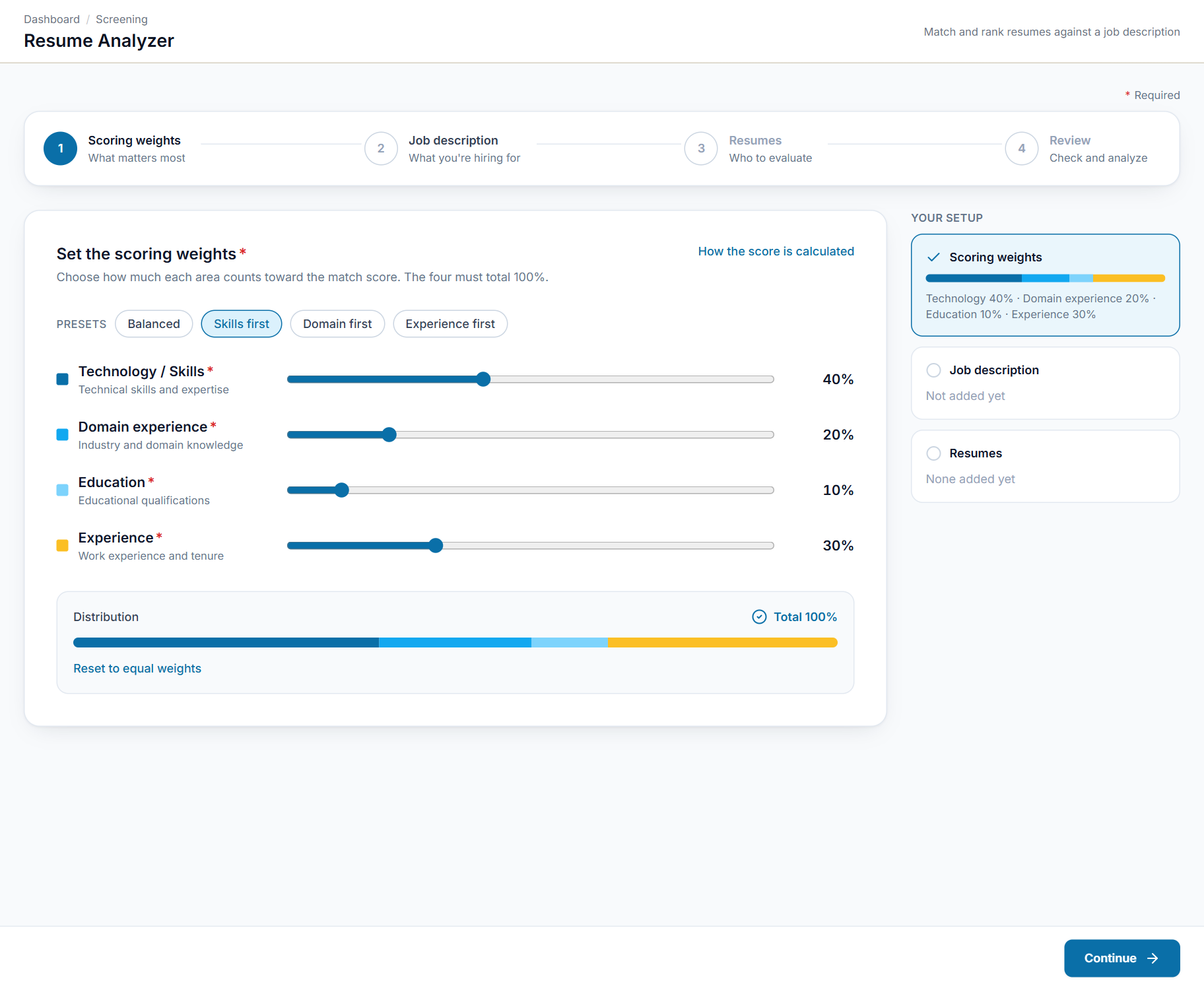
Set the four weights yourself (they must total 100%), or start from a preset: Balanced, Skills first, Domain first or Experience first.
Transparent scoring
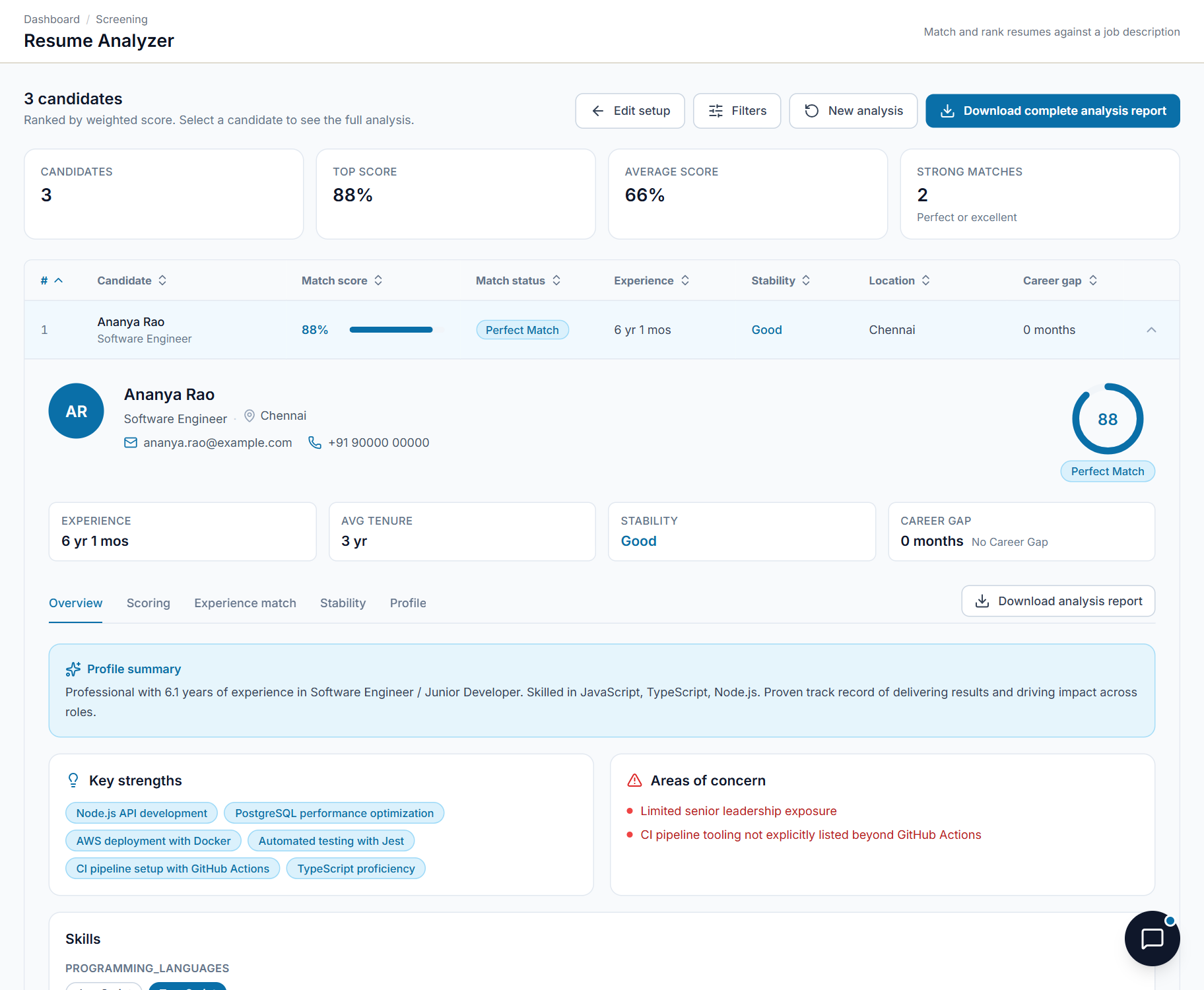
Each score comes with an explanation of how it was calculated, so you can explain the ranking to others.
Experience-fit verdict
States whether a candidate's experience fits the role, with the reasons it fits and the reasons it falls short.
Job stability and career gaps
Rates average tenure into bands you define and flags employment gaps above a threshold you set, so job-hopping is visible at a glance.
Honest experience maths
Years per technology are worked out with overlapping roles merged, so "5 years of Java" across three overlapping jobs is not counted as 15.
Custom filters in plain English
Write up to five requirements, such as "has led a team". Every candidate is tagged Matched, Not Matched or Not Enough Info with a reason, and nobody is silently removed.
An assistant for your pool
Ask in plain English: who has 5+ years of Java, compare the top two, why is a candidate ranked third. It answers from the analysed candidates only.
Re-rank and export
Change weights, location or stability settings and re-rank the same results without re-uploading. Export one candidate or the whole shortlist to Excel.
Five screens, explained.
Choose a screen to see it as it appears in the product, and what it does.
Swipe the screen sideways to see all of it
Decide what matters most for the role
Start from a preset or set the four weights yourself. Technology and skills, domain experience, education and experience must total 100%.
- Presets: Balanced, Skills first, Domain first, Experience first
- Sliders for each of the four areas
- Weights must total 100%
- A plain explanation of how the score works
Up and running in 4 steps
- 1
Set the scoring weights
Choose how much each area counts towards the match score.
- 2
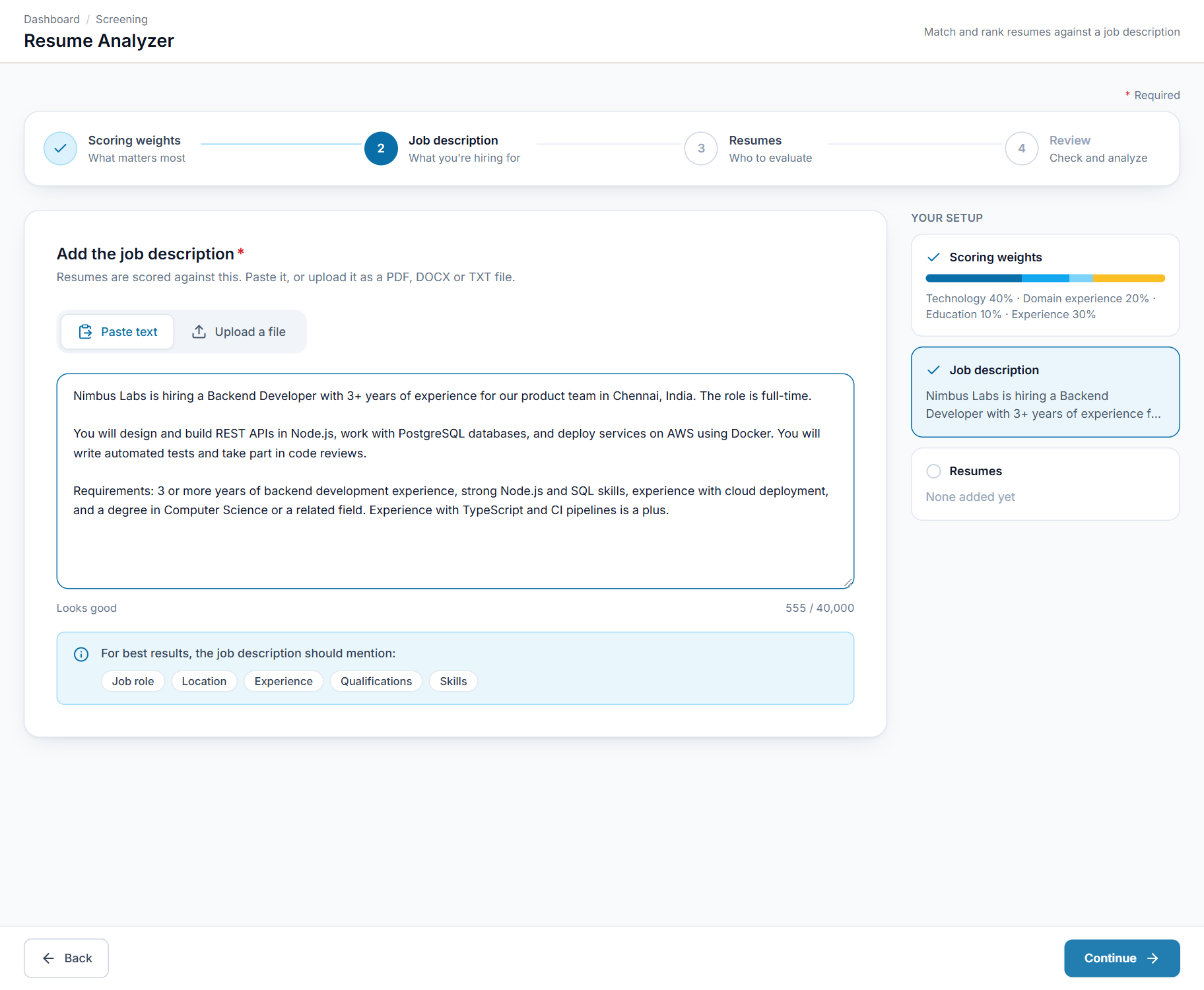
Add the job description
Paste or upload it. Every resume is measured against this.
- 3
Add resumes
Add the candidates you want to evaluate.
- 4
Review and analyse
Check your setup, run the analysis and read the results.
Made for teams that screen resumes
Anyone who has to choose between many resumes for one job.
Recruiters
Rank a large pile of resumes against a job description in one go.
Hiring managers
See why a candidate scored as they did, and set what matters for your role.
Staffing agencies
Screen candidates for each client with weights that match that client's needs.
HR teams
Apply the same transparent scoring to every applicant.
See Resume Analyser in action.
Reach the SeerHive team directly and we will take it from there.
Talk to us