
Resume Template Builder
A professionally formatted resume template in a few steps.
A well-structured resume takes time to create. The Resume Template Builder generates a professionally formatted template from a short profile (experience level, target role and domain) or from a job description, so that the template suits the job. Choose a single-column or two-column layout and generate it.
- Experience levels
- 6
- Layouts
- 2
- Starts from
- Profile or JD
What it does.
Start from a profile
Tell us about your experience and the kind of role you want. You can also add a target role and domain.
Start from a job description
Paste or upload a job description so that the template suits that job.
Experience levels
Fresher, Mid-level, Senior, Lead, Manager and Executive. The level decides what the template shows first.
Target role and domain
Optional quick choices, such as Software Engineer or Data Analyst for the role, and FinTech or Healthcare for the domain.
Layout choice
Single-column or two-column. You can generate the other layout afterwards.
Quick to generate
The builder tells you when the template is ready. It usually takes about a minute.
Two screens, explained.
Choose a screen to see it as it appears in the product, and what it does.
Swipe the screen sideways to see all of it
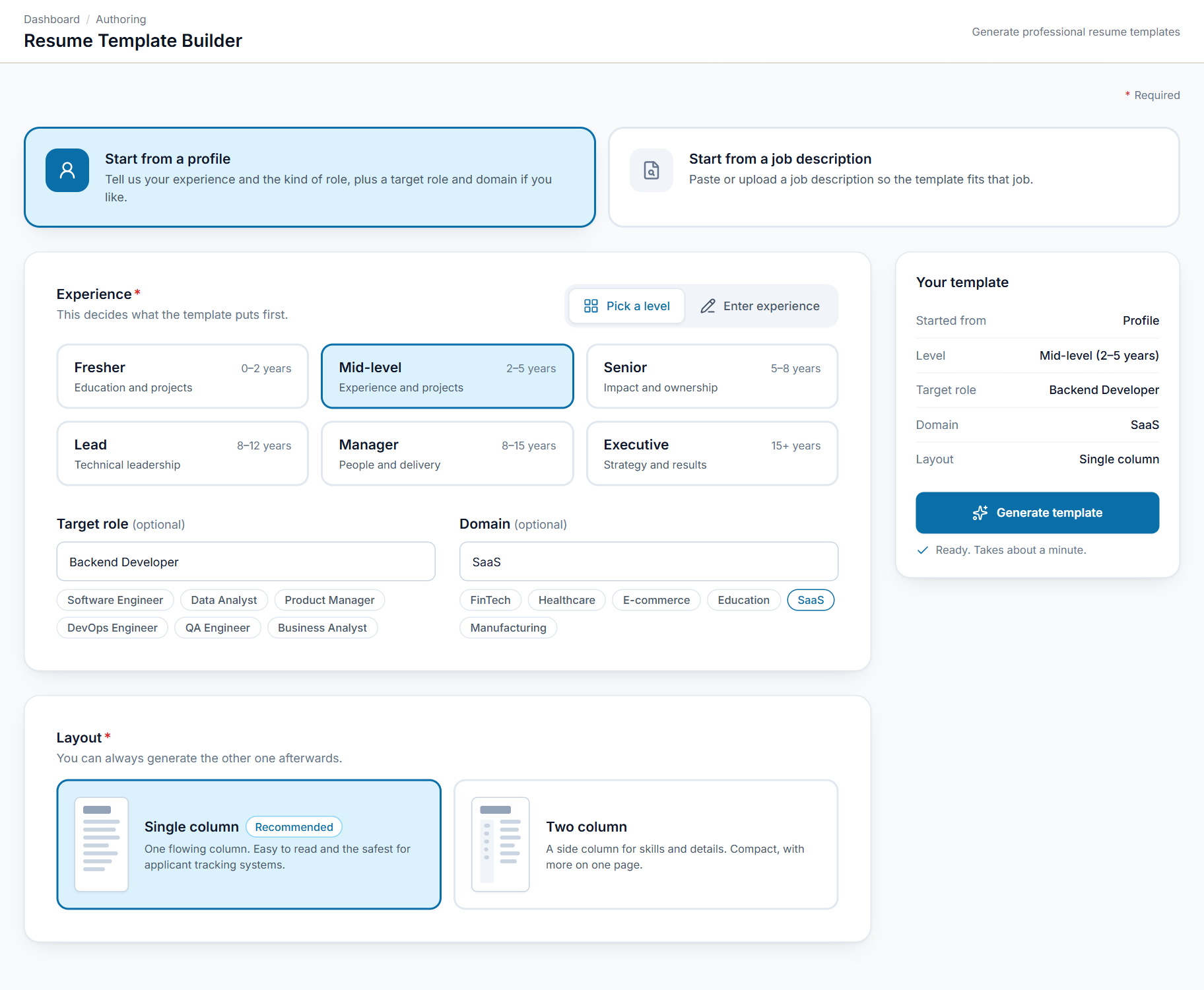
Start from experience level and target role
Pick how much experience the person has, then optionally a target role and domain. The level decides what the template shows first.
- Fresher to Executive levels
- Optional target role and domain
- Quick suggestions to tap
- Single-column or two-column layout
Up and running in 4 steps
- 1
Pick a starting point
A profile or a job description.
- 2
Choose the experience level
From fresher to executive.
- 3
Set role, domain and layout
An optional target role and domain, and one or two columns.
- 4
Generate the template
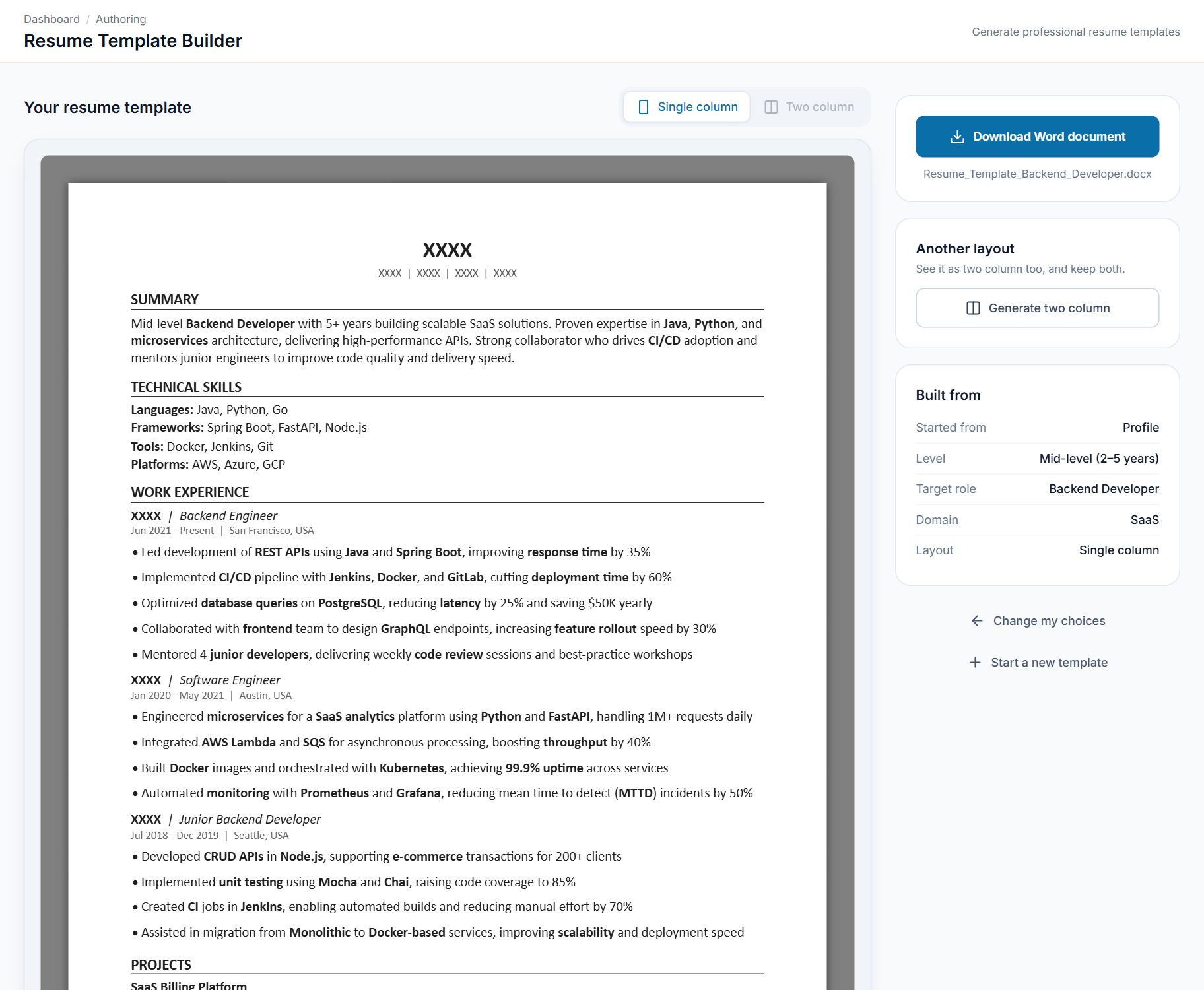
Review it, and generate the other layout if you want to compare the two.
Made for anyone building a resume
Anyone who needs a clean, professional resume format to start from.
Freshers and job seekers
Start from a template that suits your experience level and the role you want.
Recruiters
Give candidates a template shaped around the job description.
HR and training teams
Share one consistent resume format with a whole group.
Career coaches
Create a starting layout for each person you advise, in single or two columns.
See Resume Template Builder in action.
Reach the SeerHive team directly and we will take it from there.
Talk to us