
JD Generator
Turn rough notes into a well-structured job description.
Hiring managers rarely have time to write a polished job description. The JD Generator takes rough notes, or an uploaded TXT, DOCX or PDF file, and turns them into a well-structured job description. Mention the company, role, location, experience, qualifications and skills, and the generator will do the rest.
- Input
- Text or file
- Output
- PDF · Word
- Editing
- Line by line
What it does.
Paste notes or upload a file
Write about the role in your own words, or upload your notes as a TXT, DOCX or PDF file.
Structured output
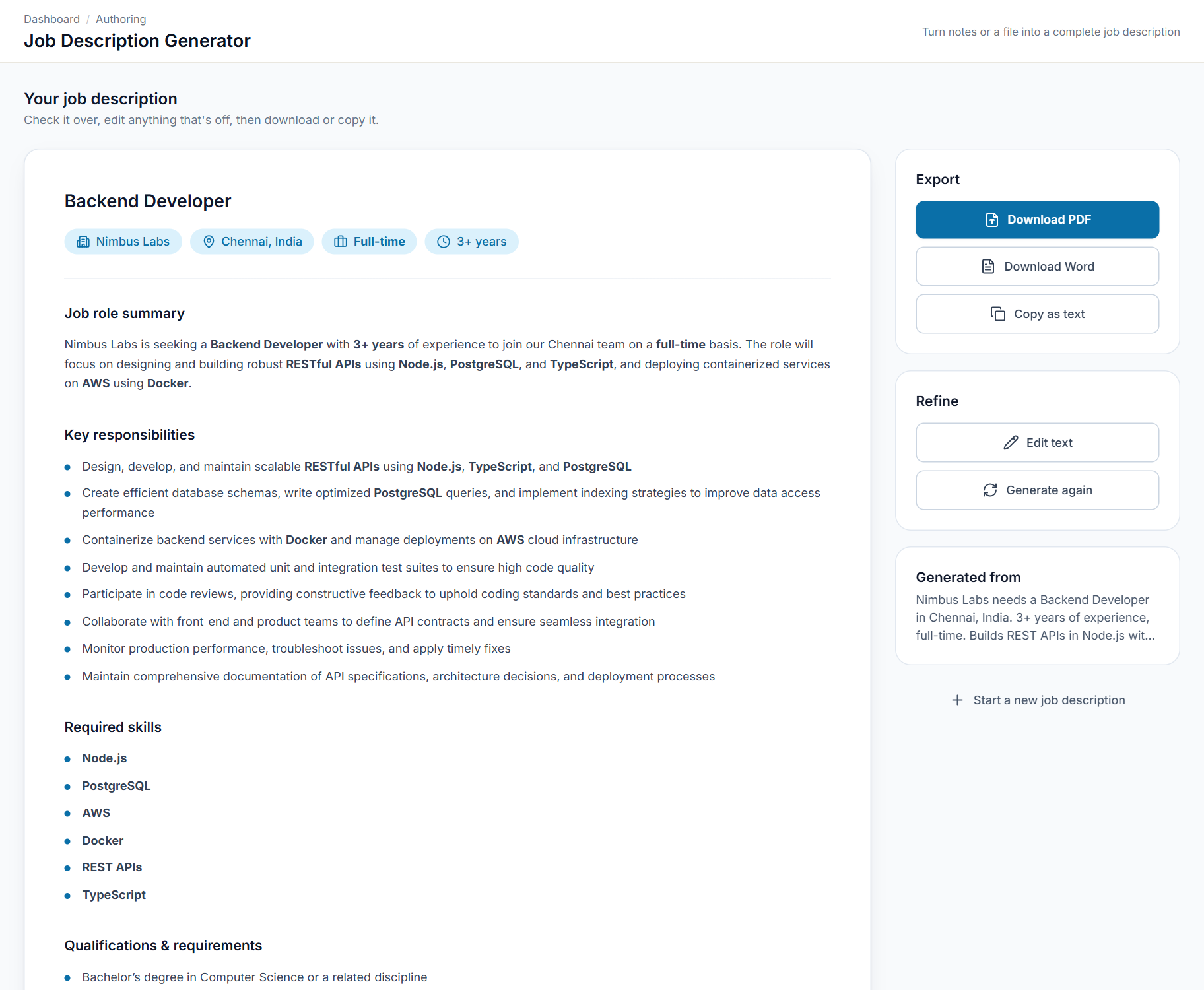
The role, company, location, experience and employment type, followed by a summary, responsibilities, skills and qualifications.
Edit any line
Review the draft and change any line before you use it.
Download or copy
Export it as a PDF or Word file, or copy the text straight into your job board.
Guidance on what to include
A short checklist (company, role, location, experience, qualifications and skills) tells you what to give the generator.
Try an example
Start from a built-in example to see what good input looks like.
Input checks
Spots input that is too short, too long or not about a job before it generates, so you are not left with a poor result.
Two screens, explained.
Choose a screen to see it as it appears in the product, and what it does.
Swipe the screen sideways to see all of it
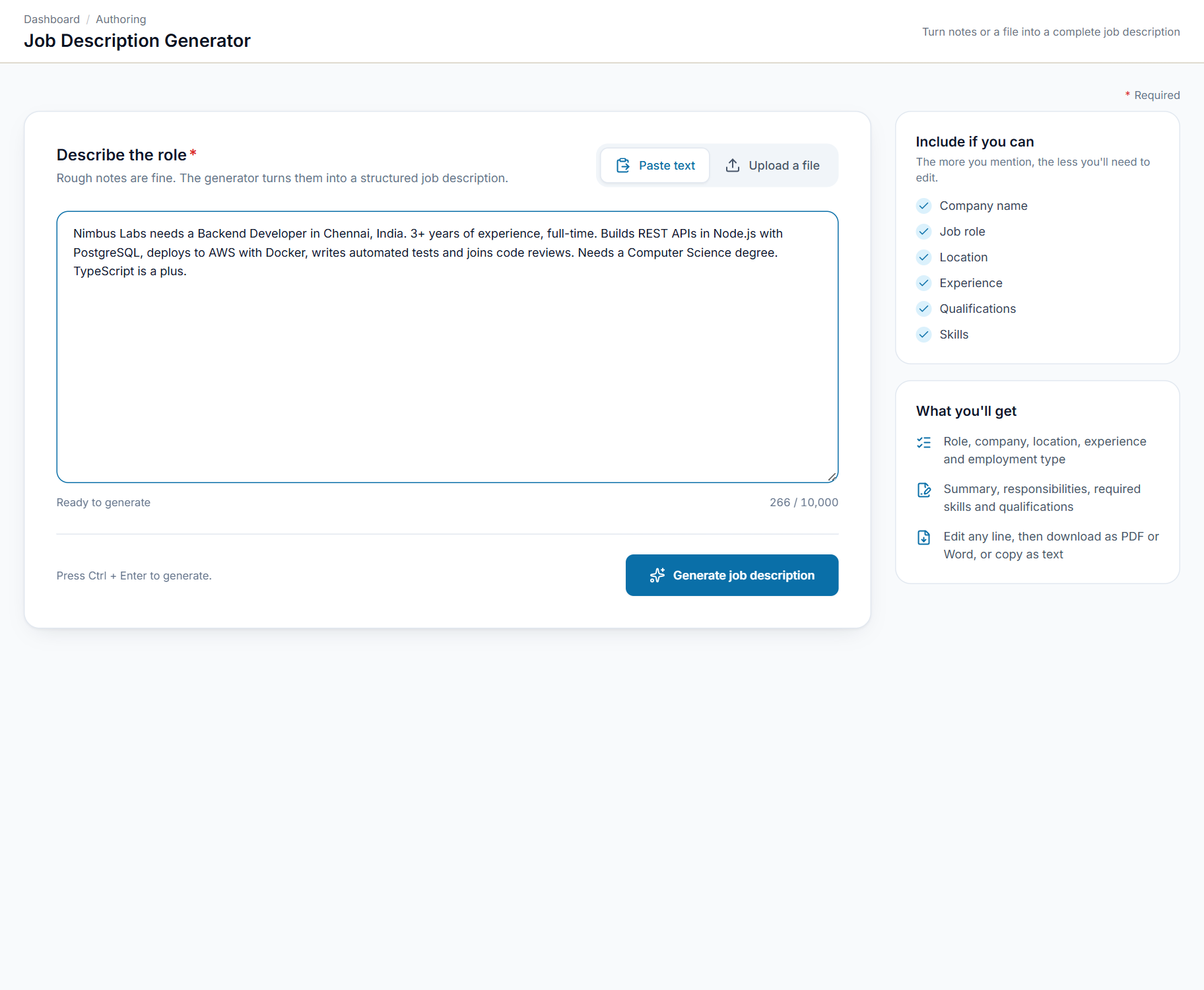
Write about the role in your own words
Type rough notes about the role. The generator turns them into a structured job description.
- Plain language is fine, up to 10,000 characters
- Paste text or upload a file
- A checklist of what to include
- Ctrl + Enter to generate
Up and running in 4 steps
- 1
Describe the role
Rough notes are enough, or you can upload a file.
- 2
Generate
Your notes are turned into a structured job description.
- 3
Edit
Change any line until it reads the way you want.
- 4
Download or copy
Take it as a PDF, a Word file or plain text.
Made for anyone who writes job descriptions
Anyone who needs a clear job description and does not want to write it from scratch.
HR teams
Turn a hiring manager's notes into a structured job description.
Recruiters
Draft a description for a new client role in minutes.
Hiring managers
Describe the role in your own words and get a finished description.
Small companies and startups
Post a professional job description without a dedicated HR team.
See JD Generator in action.
Reach the SeerHive team directly and we will take it from there.
Talk to us