
IVR Outbound
Personalised reminder calls, timed to each person, answered with one key press.
IVR Outbound makes the reminder and confirmation calls your team should not have to dial by hand: interview confirmations, appointment reminders, payment due dates. You design a "Press 1 to confirm, 2 to reschedule" flow in a visual builder, add your contacts, choose a voice and decide when each call goes out, now, at a fixed time, or a set number of minutes before each person's own appointment. Afterwards you can see who confirmed, who declined and who needs a personal follow-up. It is the keypad module: it plays your message and records the key pressed. For open conversations that answer questions, see the AI Voice Agent.
- Timing
- Per person
- Failed calls
- Auto-retry
- Languages
- Hindi · Tamil · English
What it does.
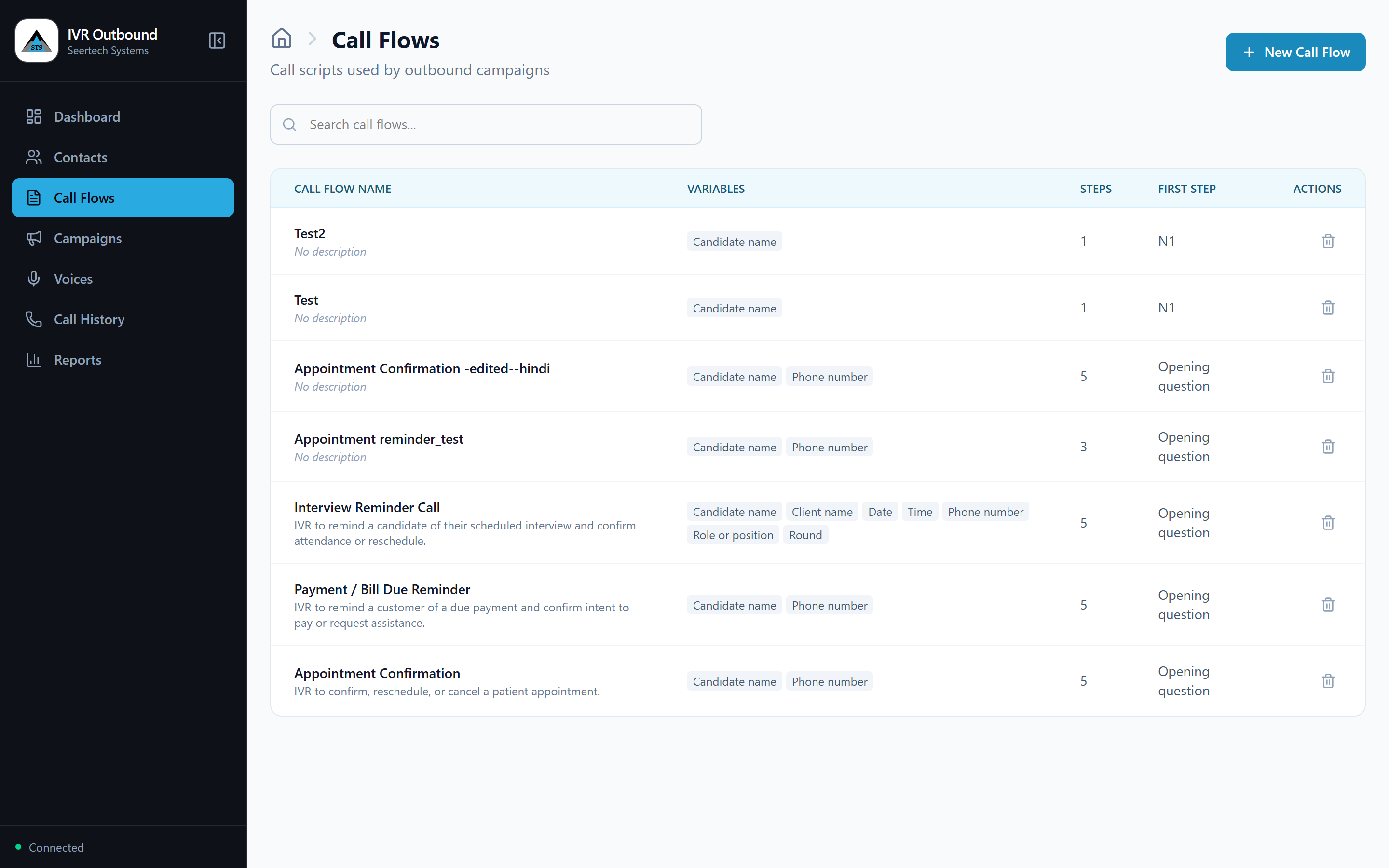
Visual call-flow builder
Design "Press 1 / Press 2" flows on screen with no coding. The builder flags mistakes before a single call goes out.
Personalised at scale
Every call uses the person's own name, role, date, time or amount, and dates and times are spoken the way a person would say them.
Smart scheduling
Call everyone now, at a fixed time, or a set number of minutes before each person's own appointment, in the right time zone.
Natural voices
Choose a voice for each campaign and preview it first. You can also create a custom brand voice from recorded samples.
Mixed-language prompts
Mix Hindi or Tamil with English in one sentence, and each part is spoken in the right language voice.
Easy contact upload
Upload spreadsheets, text, Word or PDF files, type contacts in, or import scheduled interviews from SeerHive ATS. Map your columns once.
Automatic retries
Unanswered, busy or failed calls are retried up to the number of attempts you set, with the gap you choose.
Do-Not-Call protection
Numbers on your Do-Not-Call list are blocked when the campaign is built and again just before dialling.
Campaign controls
Pause, resume or cancel a running campaign, cap how many calls run at once, and skip people whose call window has passed.
Live monitor and call log
Watch calls and responses as they arrive, then open any call to see what the agent said and which key was pressed, step by step.
Checked before launch
A preview confirms that every contact has the details the script needs, so a missing date is caught before any call is placed.
Dashboard and reports
See progress and outcomes at a glance, and download the results as a spreadsheet for follow-up.
Every call lands before their own slot.
A reminder is only useful if it arrives at the right moment for that person. Choose how long before each appointment the call should go, and every contact is dialled on their own clock, in the right time zone.
Anita Rao
Interview, 9:30
Call at 9:00Imran Khan
Interview, 11:00
Call at 10:30Divya Menon
Interview, 12:15
Call at 11:45Suresh Pillai
Interview, 14:00
Call at 13:30
An illustration with made-up sample data. Calls can also go out immediately or at one fixed time.
Every screen, one calling workflow.
Choose a screen to see it as it appears in the product, with sample data, and what it does.
Swipe the screen sideways to see all of it
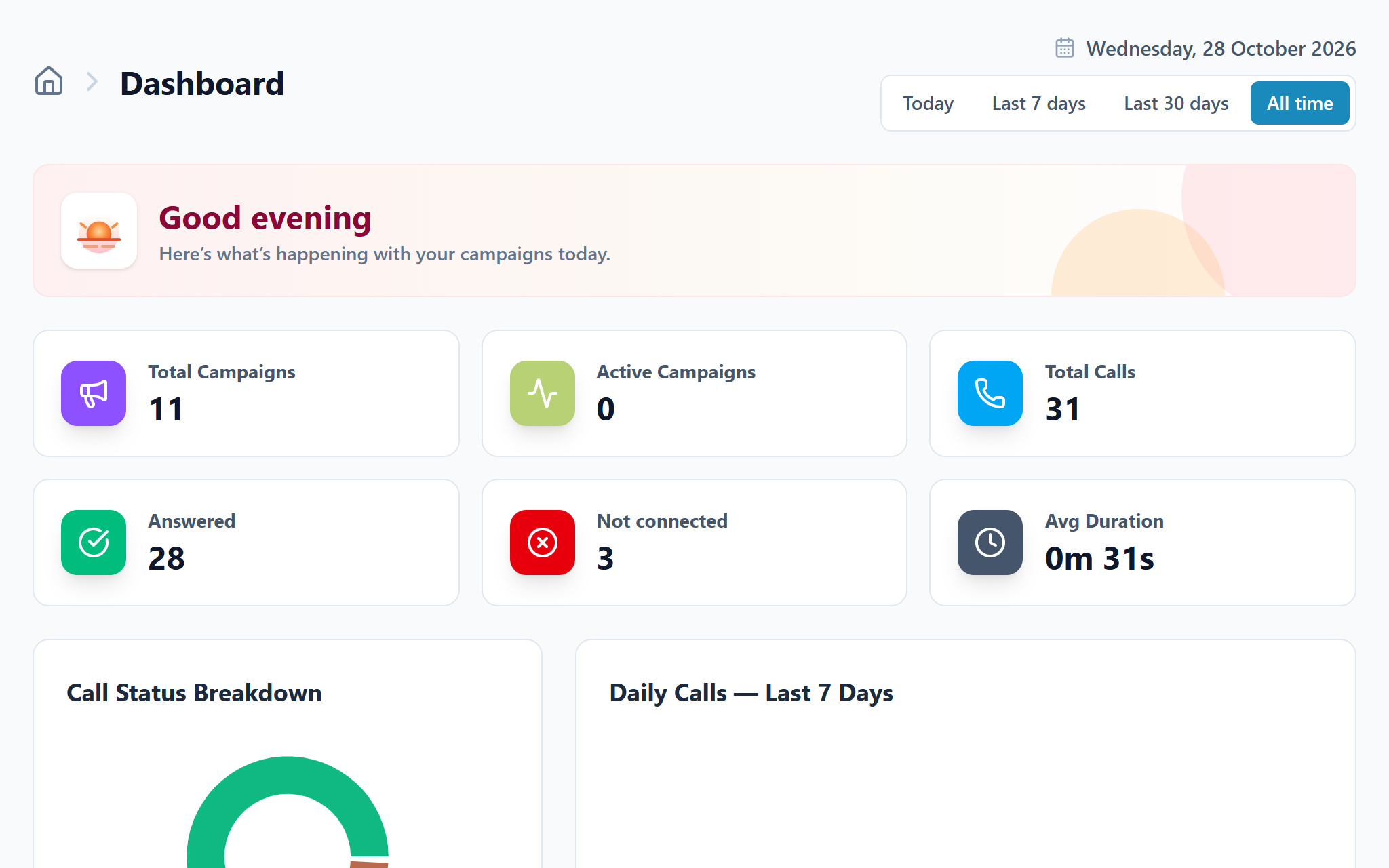
See how your calls are going
The dashboard totals your campaigns and calls for today, the last 7 days, the last 30 days or all time. It shows how many were answered, how many did not connect and the average call length.
- Total and active campaigns
- Answered and not-connected calls
- Average call duration
- Call status chart and daily call trend
Up and running in 4 steps
- 1
Add your contacts
Upload a file, type them in, or import interviews from SeerHive ATS, then map the columns.
- 2
Build the call script
Write what the agent says and what happens on 1, 2 or 3, or start from a template.
- 3
Set up the campaign
Pick the script, the list and the voice, then choose when to call.
- 4
Launch and follow up
Watch it live, open any call, and act on declines and unreachable contacts from the report.
Made for teams that call people every day
Anyone who makes the same kind of call again and again.
Operations heads
Take repetitive confirmation and reminder calls off your teams.
Call-centre managers
Run high-volume reminder campaigns with retries and live monitoring.
HR and recruitment teams
Confirm interview attendance before the slot is wasted, with interviews pulled from SeerHive ATS.
Hospitals and clinics
Confirm appointments a set time before the visit and reduce no-shows.
BFSI service leads
Send due-date and document reminders with a confirmation step.
Education, retail and support
Send fee and counselling reminders, or confirm orders, deliveries and pickups.
See IVR Outbound in action.
Reach the SeerHive team directly and we will take it from there.
Talk to us