
Resume Enhancer
Fit a resume to a job description without adding anything false.
A good resume is written for a specific job. The Resume Enhancer rewords and reorders what is already in a resume so that it suits the job description. It never adds experience or skills that the candidate does not have.
- Match score
- Before & after
- Download
- Word
- File size
- Up to 10 MB
What it does.
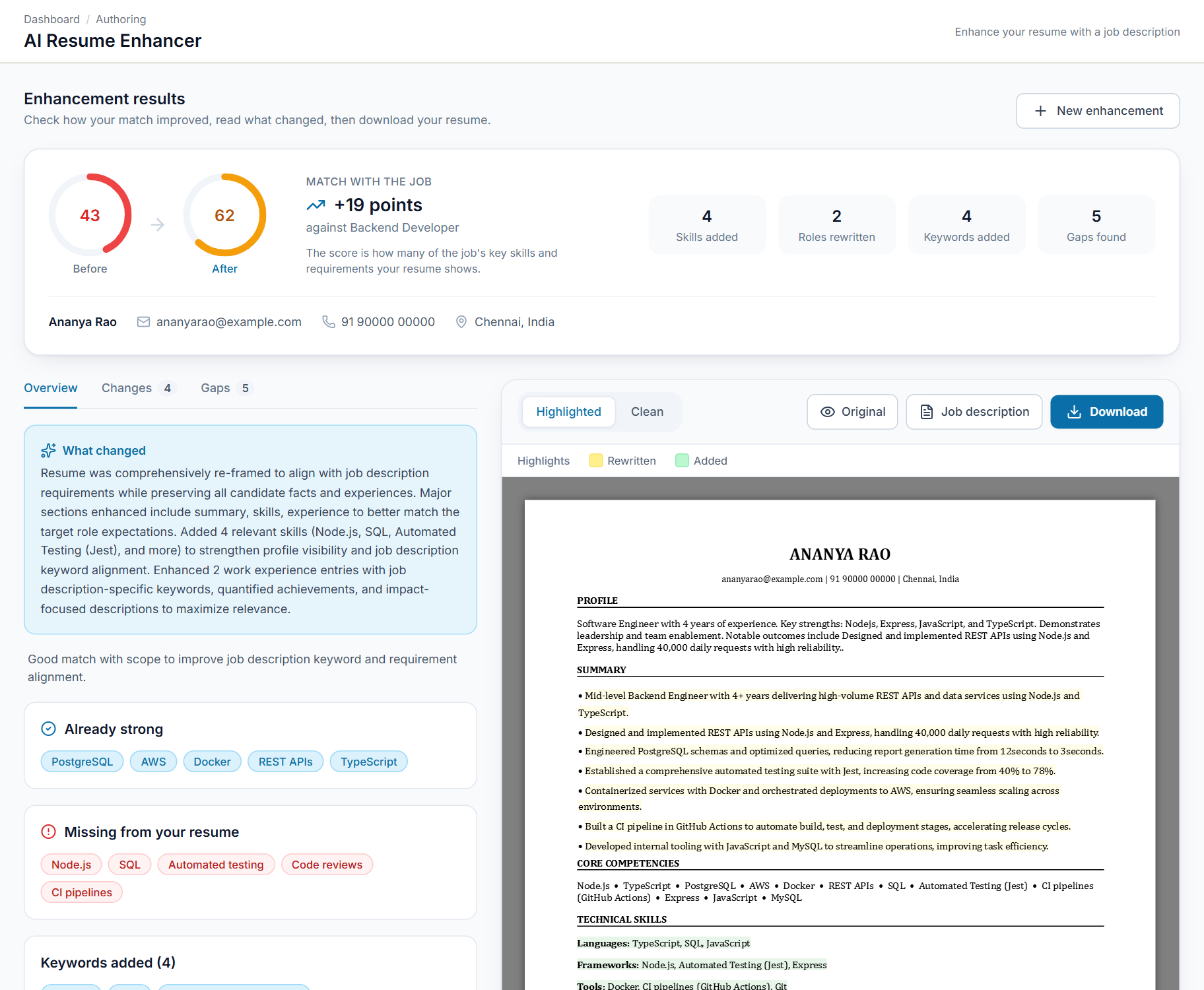
Match score before and after
See how well the resume fits the job description, and how much the match improved after enhancement.
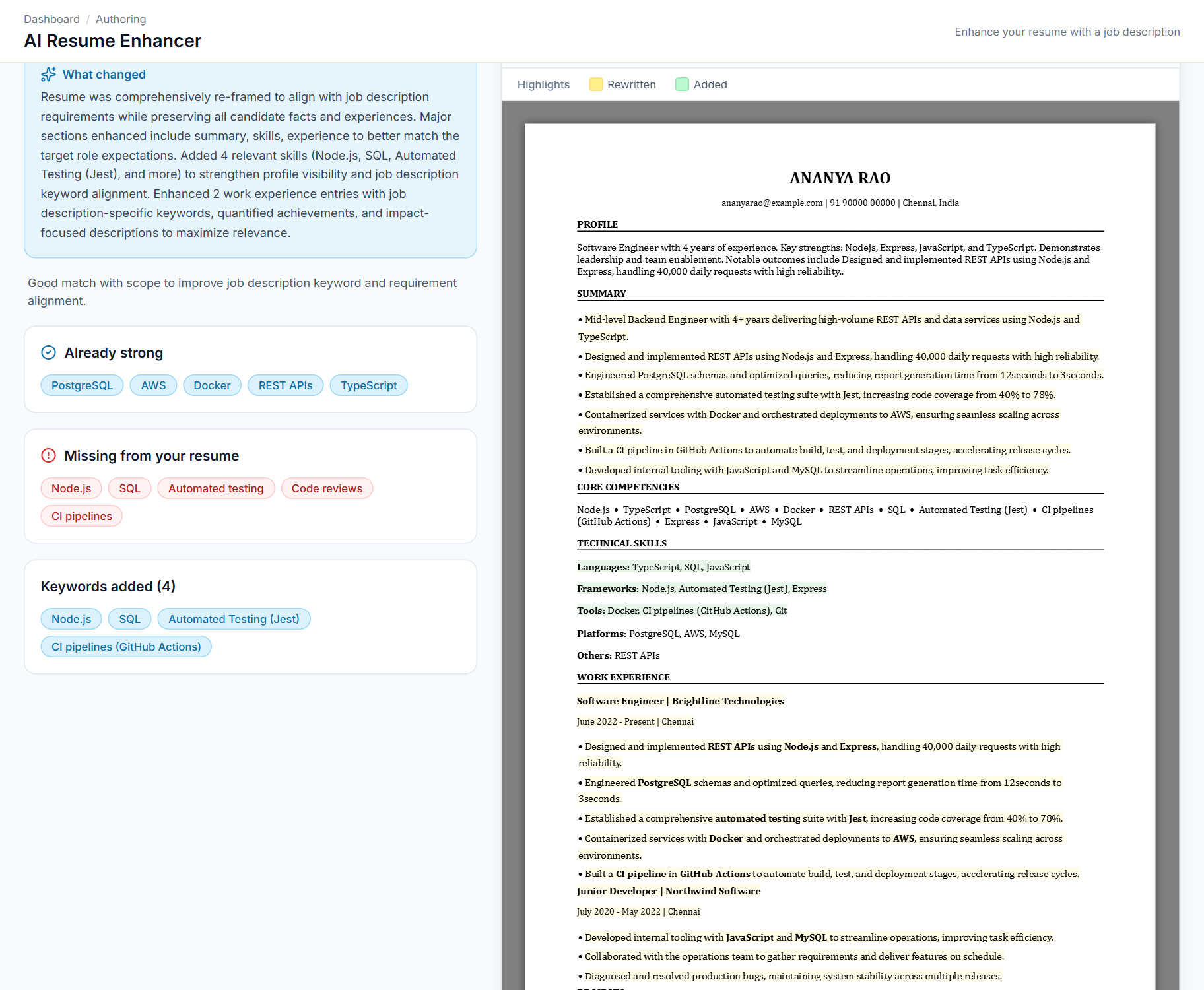
Every change explained
Every change is explained section by section, so you always know what was edited and why.
Highlighted and clean versions
Download a Word file with rewritten text highlighted in yellow and new text in green, or a clean copy that is ready to send. Both come in a single-column or two-column layout.
Facts stay yours
It only rewords and reorders what is already in the resume. It does not add experience or skills.
Common file formats
Upload the resume as a PDF, DOCX or TXT file of up to 10 MB.
Tailored to the job
Paste or upload the job description that the resume should be matched to.
Three screens, explained.
Choose a screen to see it as it appears in the product, and what it does.
Swipe the screen sideways to see all of it
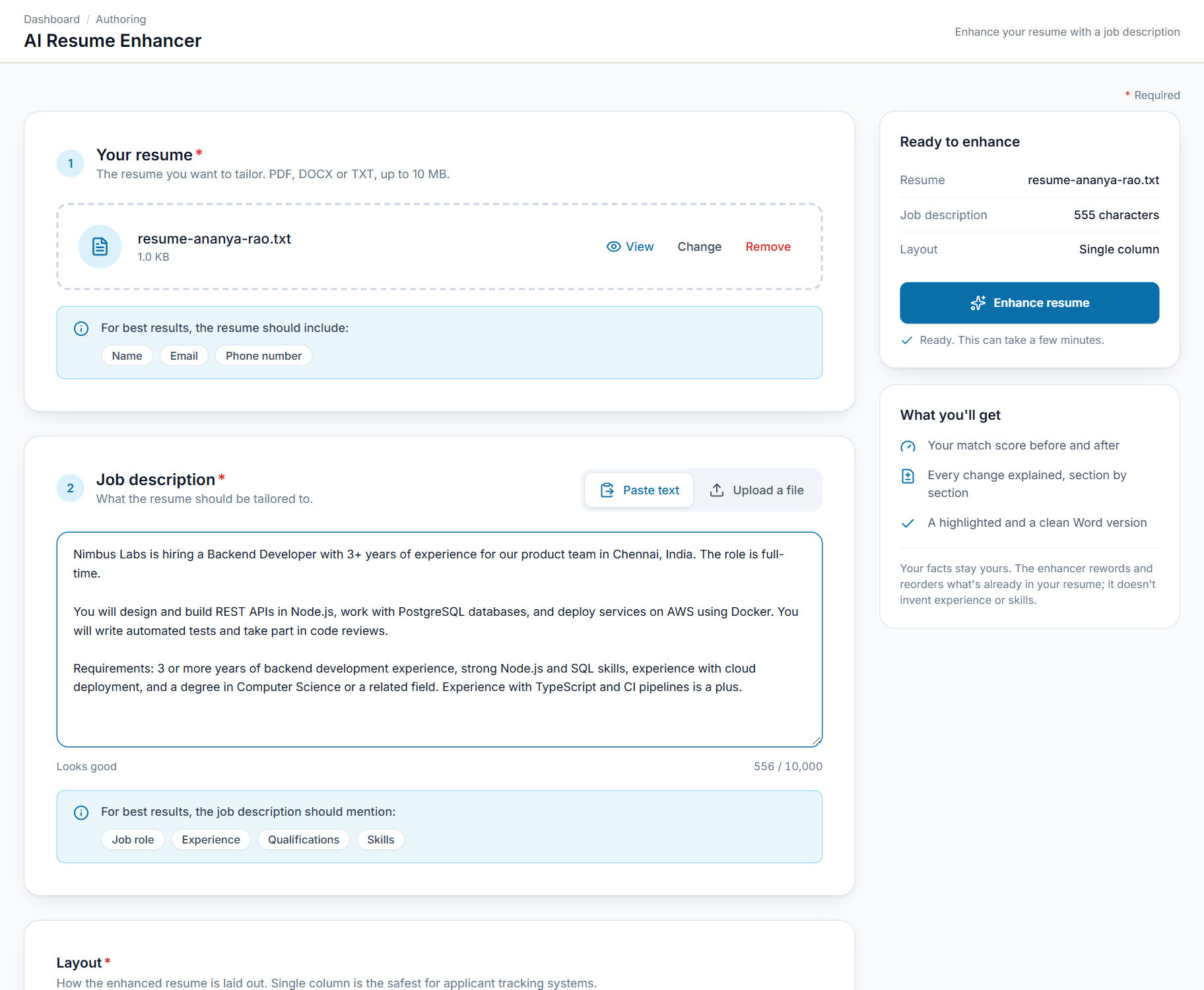
Add a resume and the job it is for
Upload the resume you want to improve, then paste the job description or upload it as a file. Pick a single-column or two-column layout and start the enhancement.
- Resume as PDF, DOCX or TXT, up to 10 MB
- Job description pasted or uploaded
- Single-column or two-column layout
- A checklist of details the resume should contain
Up and running in 4 steps
- 1
Upload the resume
PDF, DOCX or TXT.
- 2
Add the job description
Paste it or upload it.
- 3
Enhance
The resume is reworded and reordered to suit the role.
- 4
Review and download
Read the changes, then download the version you need.
Made for anyone sending a resume that counts
Anyone who sends a resume for a specific job, or who prepares resumes for other people.
Job seekers
Fit your resume to each job you apply for, without adding anything that is not true.
Recruiters
Improve a candidate's resume before you submit it to a client.
Staffing agencies
Send clients resumes that match the job description and read consistently.
Placement and career teams
Help many students or members improve their resumes in the same way.
See Resume Enhancer in action.
Reach the SeerHive team directly and we will take it from there.
Talk to us